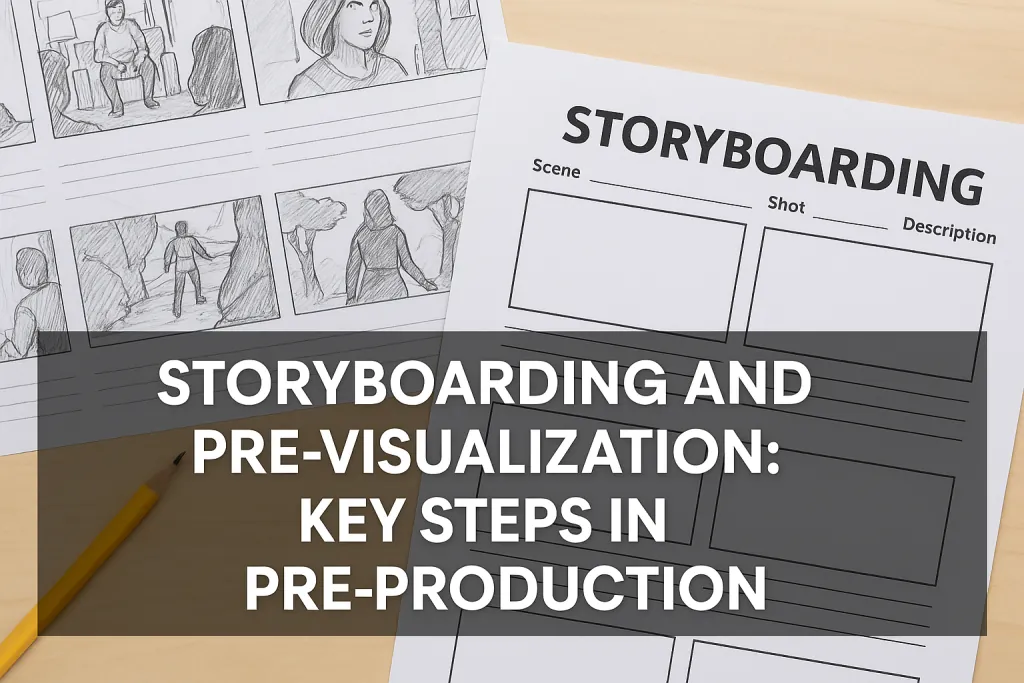
Storyboarding and Pre-Visualization: Key Steps in Pre-Production
Every great film starts with an idea but between imagination and the first shot lies one of the most crucial steps in filmmaking: storyboarding and pre-visualization. These processes are where directors, cinematographers, and production teams turn abstract concepts into clear, visual plans.
At reelOn, we believe storyboarding and pre-visualization are the creative foundation of successful pre-production. They give your story structure, your shots clarity, and your team a shared visual language before a single frame is captured.
Opening Shot: Why Storyboarding and Pre-Visualization Matter
Filmmaking is visual storytelling. Before cameras roll, you must first “see” your film not just imagine it. Storyboarding and pre-visualization help you do exactly that.
A storyboard breaks your script into visual sequences. Pre-visualization (or “pre-vis”) goes a step further, using sketches, software, or digital tools to simulate how scenes will look, move, and feel. Together, they ensure your creative vision survives the transition from page to screen.
In short, they are your blueprint for cinematic execution.
Try reelOn - Entertainment Networking Platform
Understanding Storyboarding
A storyboard is a visual representation of your script, presented as a series of frames each one depicting a key shot or sequence.
Each frame includes:
Composition: What’s in the frame and how it’s arranged.
Camera Movement: Pans, tilts, dolly shots, or zooms.
Shot Type: Wide, medium, close-up, or extreme close-up.
Transitions: Cuts, dissolves, fades, or wipes.
Notes: Dialogue cues, action direction, or lighting references.
Storyboards help directors and cinematographers visualize flow, framing, and rhythm long before stepping onto set.
The Purpose of Storyboarding
Storyboards serve both creative and logistical functions.
Creative Purpose:
Clarifies how each scene will look and feel.
Helps directors explore visual tone and camera language.
Strengthens collaboration with cinematographers and production designers.
Practical Purpose:
Saves time during shooting by reducing guesswork.
Helps producers budget efficiently by identifying technical requirements early.
Acts as a communication tool between departments.
When everyone understands the shot plan, the set runs smoother, faster, and more creatively.
Steps to Create Effective Storyboards
Break Down the Script
Identify key moments, emotional beats, and transitions. Each storyboard frame should represent a shift in camera angle, movement, or emotion.Define Shot Types
Decide where to use wide shots (context), medium shots (interaction), and close-ups (emotion). Vary your shots for rhythm and pacing.Add Camera and Movement Notes
Include arrows or notations for pans, tilts, zooms, or movement directions.Consider Composition and Lighting
Use diagonal lines, balance, and framing to suggest tension or harmony. Include notes about lighting direction or contrast.Keep It Simple
Clarity is more important than artistic skill. Stick figures can be just as effective as polished drawings what matters is visual intent.Review and Revise
Walk through the storyboard with your DOP, editor, and art director. Make changes collaboratively before locking it.
Pre-Visualization (Pre-Vis): The Next Level
Pre-visualization builds upon storyboarding by using digital tools to simulate your film visually and technically before production begins.
Pre-vis can range from simple 2D animatics (moving storyboard frames with sound) to complex 3D renderings that replicate camera movement, lighting, and timing.
Key Benefits of Pre-Visualization
Shot Accuracy: Helps plan framing, composition, and timing precisely.
Budget Efficiency: Identifies unnecessary shots before the shoot.
Technical Coordination: Allows cinematographers and VFX teams to prepare for complex sequences.
Creative Experimentation: Lets directors test visual ideas without costly reshoots.
Tools and Techniques for Pre-Visualization
Traditional Tools:
Pencil, paper, sticky notes, or whiteboards for quick visual planning.
Digital Storyboarding Tools:
Storyboarder, StudioBinder, Boords, Canva, or Photoshop.
3D and Motion Pre-Vis Tools:
Blender, Unreal Engine, Maya, or FrameForge for animated scene simulations.
Hybrid Approach:
Many filmmakers mix sketch-based boards with 3D previews for both flexibility and precision.
The key is to choose a method that matches your project’s scale and your team’s workflow.
How Storyboarding and Pre-Vis Strengthen Collaboration
Film production involves multiple creative minds directors, cinematographers, production designers, editors, and more.
Storyboards and pre-visualizations serve as a shared visual language, ensuring every department understands:
The mood and pacing of each sequence.
The camera setup and technical requirements.
The emotional flow of the story.
When everyone works from the same visual guide, creative conflicts decrease and synergy improves.
Common Mistakes to Avoid
Overcomplicating the storyboard with excessive detail.
Skipping transitions or camera notes.
Neglecting shot motivation every frame should serve story or emotion.
Creating storyboards too late in pre-production.
Treating pre-vis as rigid it’s a guide, not a restriction.
From Storyboard to Screen
A good storyboard evolves during production. On set, it serves as a reference, not a rulebook. The director and cinematographer can adapt to light, performance, or creative discoveries but the visual roadmap ensures the story remains consistent.
In post-production, editors often refer back to storyboards and pre-vis animations to align the final cut with the original visual rhythm.
Final Frame
Storyboarding and pre-visualization are where filmmaking truly begins before cameras, before sets, before lights. They transform imagination into direction, giving your team a clear path from idea to execution.
By mastering these tools, you don’t just save time and resources you elevate your storytelling precision.
For more detailed filmmaking resources, visual storytelling breakdowns, and production planning tools, visit reelOn your creative partner in building better films from the first frame.
FAQs
What is the purpose of storyboarding in pre-production?
A. To visually plan how each scene will be shot before filming begins.What’s the difference between storyboarding and pre-visualization?
A. Storyboarding uses static sketches; pre-visualization simulates shots using digital or 3D tools.Do I need artistic skills to storyboard?
A. No. Clarity matters more than drawing ability stick figures work if they communicate the idea.How detailed should a storyboard be?
A. Detailed enough to show framing, movement, and emotion but not overly complex.What software is best for beginners?
A. Storyboarder, Boords, and StudioBinder are simple and effective.How does pre-vis help cinematographers?
A. It previews lighting, camera angles, and composition, allowing technical preparation.Can storyboards change during production?
A. Yes. They guide the vision but can adapt to creative discoveries on set.Why is pre-visualization important for VFX-heavy films?
A. It helps align live-action shots with computer-generated elements accurately.How long does it take to create a storyboard?
A. From a few hours for short scenes to several weeks for full-length features.What’s the biggest mistake beginners make in pre-vis?
A. Treating it as decoration instead of a planning tool every frame must serve purpose.

